How to Set Up Your Real Estate CRM for Maximum Lead Conversion
Part of our complete guide to real estate CRM software.
Most CRM disappointments aren’t software failures, they’re setup failures. The platform was fine, it was just never configured to match how leads actually flow through the business, so follow-up stayed manual and the data went stale. Getting setup right is what separates a CRM that pays for itself from an expensive address book. Here’s how to set yours up in the right order, with every step pointed at the same goal: converting more of the leads you already have.
Quick answer: To set up a real estate CRM for maximum conversion, work in this order: migrate and clean your contacts, connect every lead source so capture is automatic, set instant lead routing, build your speed-to-lead and nurture action plans, add behavioral triggers, define your pipeline stages, and turn on reporting. Start with two or three high-impact automations rather than building everything at once.
Why setup determines conversion
A CRM converts leads in three ways: it responds fast, it follows up consistently and it surfaces the right contact at the right moment. Every one of those depends on configuration you do up front. Skip the setup and you get a database that stores names but doesn’t act, which is exactly the manual, leaky process the CRM was supposed to replace. Do the setup well and conversion improves without you working harder, because the system handles the follow-up that used to slip.
The steps below are sequenced deliberately. Each one builds on the last, and rushing or skipping an early step is what produces the “we have a CRM but nobody trusts the data” problem six months later. (If you haven’t chosen a CRM yet, our complete guide to real estate CRM covers how to pick one before you set it up.)
Step 1: Migrate and clean your database
Start by importing your existing contacts and cleaning them as you go. Deduplicate, fix obvious errors and tag contacts by type (lead, past client, sphere) so you can segment later.
Why it matters for conversion: garbage in means a CRM no one trusts, and a database no one trusts is a database no one works. A clean foundation is what makes every later step reliable.
Step 2: Connect every lead source
Wire up every place your leads come from (e.g., your website, paid ads, portals and any lead providers), so new leads flow in automatically, deduplicated, with the source recorded.
Why it matters for conversion: a lead that lands in an inbox instead of the CRM doesn’t get the automated follow-up, and a lead with no recorded source can’t be measured later. Automatic capture from every source is the difference between catching leads and hoping you noticed them.
Step 3: Set up instant lead routing
Define who gets which leads and how fast (e.g., by geography, price band, property type or round-robin) and encode it so assignment happens the instant a lead arrives.
Why it matters for conversion: unclaimed leads go cold, and the speed of that first assignment sets the ceiling on your speed to first contact. Routing is the plumbing that makes a fast response even possible.
Step 4: Build your speed-to-lead and nurture action plans
This is the heart of the setup. Build at least two sequences before you turn anything on: an instant speed-to-lead response that fires the moment a lead registers, and a longer nurture cadence for leads who aren’t ready yet.
Why it matters for conversion: the odds of connecting with an online lead drop sharply with every minute that passes, so an automated instant text and email is the single highest-leverage thing you can configure. (More on why those first minutes matter so much in speed to lead.)
Step 5: Add behavioral triggers
Once your baseline sequences run, layer in follow-up that reacts to what leads actually do, such as a return visit after weeks of silence, a saved search or a price drop on a viewed home.
Why it matters for conversion: behavioral follow-up reaches a lead exactly when their interest spikes, which converts far better than a message sent on a fixed calendar. This is where a well-set-up CRM starts to feel less like software and more like an assistant.
Step 6: Define your pipeline stages
Map the stages a contact actually moves through in your business (e.g., new lead, nurturing, appointment set, under contract, closed), and set them up so everyone shares one definition of “where this deal is.”
Why it matters for conversion: a clear pipeline makes priorities obvious and stops leads from stalling silently in a gap nobody owns.
Step 7: Set up communication tools and templates
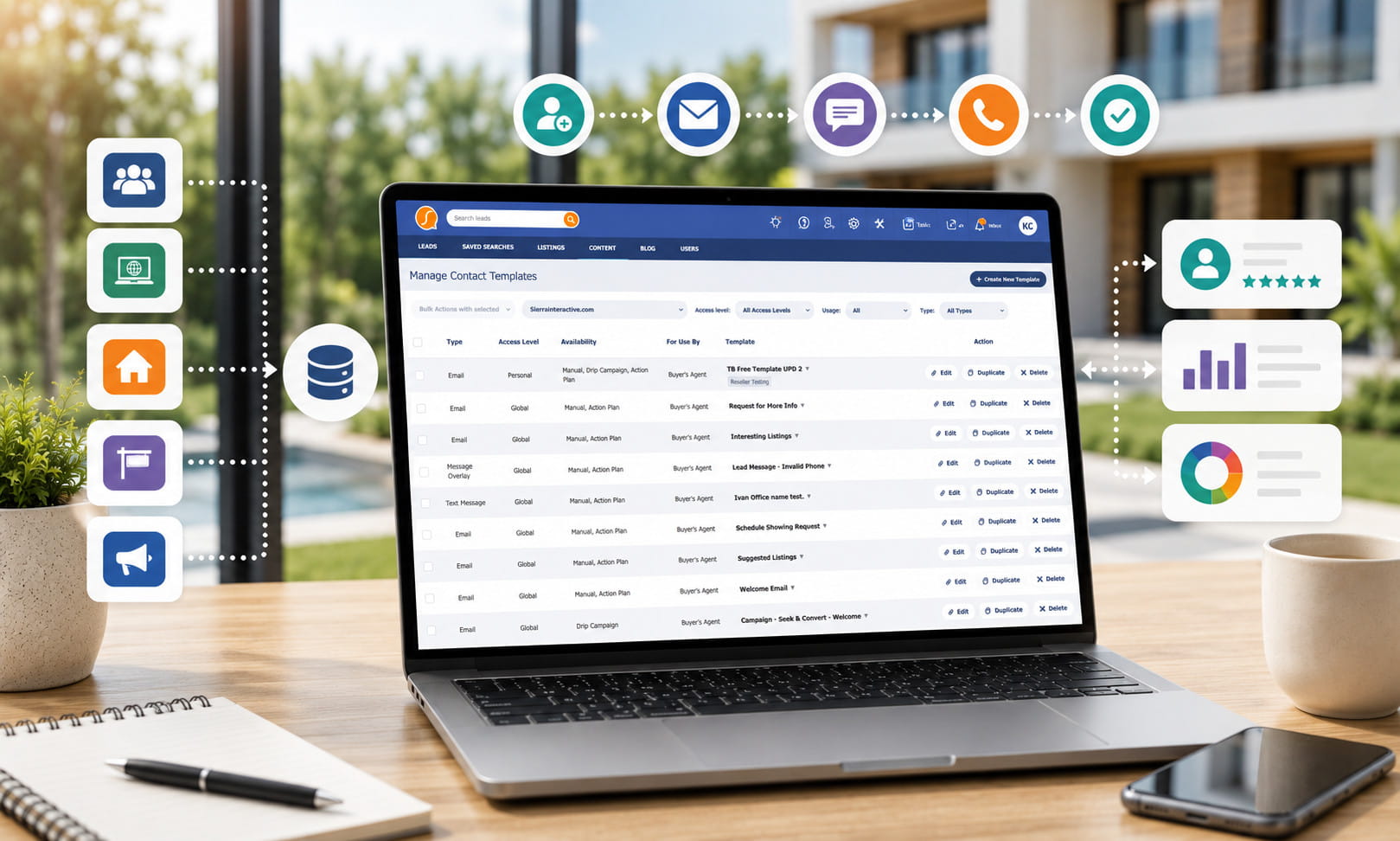
Configure calling, texting and email inside the CRM, and load a starter set of templates so agents aren’t writing every message from scratch.
Why it matters for conversion: when communication lives in the CRM, every touch gets logged automatically and the contact history stays current, and templates make prompt, consistent outreach the path of least resistance. (The communication tools to look for are covered in the 10 features that matter.)
Step 8: Turn on reporting
Finally, set up the reports that show what’s converting, such as cost per lead and conversion by source, speed to first contact and pipeline movement.
Why it matters for conversion: you can’t improve what you can’t see. Reporting is what tells you which sources and which habits produce deals, so you can double down on what works.
Start small, then expand
The most common setup mistake is trying to build everything at once. A CRM running two or three automations the team actually trusts beats one configured with twenty that nobody understands. Get the speed-to-lead response, one nurture sequence, and routing working first, prove they’re reliable, then layer in the rest. A simple system that’s used every day converts more than a sophisticated one that overwhelms everyone on day one.
Setup is only half the job
Even a perfectly configured CRM converts nothing if the team doesn’t use it. Once your setup is solid, the next challenge is adoption, making the CRM the system everyone actually works in, every day. That’s a discipline of its own, and we cover it in how to get your real estate team to actually use the CRM.
Frequently asked questions
How long does it take to set up a real estate CRM?
A focused initial setup (e.g., migrating contacts, connecting sources, routing and a couple of core action plans) can be done in a few days to a couple of weeks, depending on database size and how much help you have. Building out the full set of automations is an ongoing process you refine over time, not a one-time event.
What should I set up first in my CRM?
Your data and your speed-to-lead response. A clean, migrated database is the foundation everything else relies on, and an instant automated response to new leads is the single highest-impact automation for conversion.
How do I import my contacts into a CRM?
Most CRMs accept a spreadsheet (CSV) import or migrate directly from another system. The key is to deduplicate and tag contacts as you import, so the database is clean and segmentable from day one. Many platforms offer migration help, worth using if your database is large or messy.
What’s the most important setup step for lead conversion?
Automated follow-up, specifically the instant speed-to-lead response paired with behavioral triggers. Slow, inconsistent follow-up is the most expensive habit in real estate, and automating it is what setup is ultimately for.
Set it up to convert
A real estate CRM rewards the time you put into setting it up correctly. That’s where the conversion gains come from. To see how setup fits alongside choosing the right CRM, driving adoption and measuring ROI, read our complete guide to real estate CRM.