How to Build a Neighborhood Content Strategy That Wins Local Search and AI Answers
Key takeaways
- The best real estate website for a neighborhood content strategy can build a page for every community and property type your market actually has. Sierra Interactive’s IDX websites keep every field the MLS sends, so agents can publish pages like “waterfront homes in Lake Norman” or “Hill Country ranches” that sites with simplified listing feeds can’t support.
- Portals win broad searches on scale. Agents win specific ones. The subdivision, the property type, the local question: that’s where first-hand knowledge tied to live listings beats a national listing site.
- Google and AI assistants reward the same thing. A page that answers a specific local question in its first paragraph, then backs it up with names, numbers and current listings, is the page that gets ranked and cited.
- A neighborhood page is an asset, not an expense. A paid lead disappears when the billing cycle ends. A published page keeps working, and every page you add makes the whole site easier to find.
What a neighborhood content strategy is
A neighborhood content strategy is a plan to publish one useful page for every community, subdivision and niche you serve. Each page connects to live listings, related blog posts and a way for the visitor to reach you.
The goal is not more words. It is more specific answers. A page titled “Homes for Sale in Charlotte” competes with every portal in the country. A page about homes with private docks in one lakefront community competes with almost no one, and the buyer searching for it is close to a decision.
That is why the strategy works. Each page targets a search that a real buyer types, or a question they ask an AI assistant, and answers it better than anyone else in your market.
Why portals rank for neighborhoods, and where agents win
Zillow, Trulia and Realtor.com rank for neighborhood searches because of scale. They carry every listing in every market, and they have years of search authority behind them. Competing with them on broad terms like a city name is a losing fight for most agents.
But portals are built to display listings, not to explain a place. They can’t tell a buyer what it’s like to own a home on a specific street, how the HOA works in a particular subdivision, or which part of town has the older homes on bigger lots. Buyers who have been researching an area for months ask exactly those questions, in Google and increasingly in ChatGPT and other AI assistants. Those tools surface the pages that answer them.
Agents win when they add what portals can’t:
- Specificity. Pages for the subdivision, the property type, or the niche, not just the city.
- First-hand knowledge. Details only someone who works the area knows.
- Current commentary. What changed in the market this season, dated.
- A clear next step. A saved search to follow and a person to contact.
There is one catch. Your website can only build a page for a niche if your listing data supports it. Many platforms simplify the MLS feed and drop fields along the way. If the waterfront designation or the lot detail is gone, you can’t build an accurate page showing only those homes, no matter how well you write it.
What to look for in a website platform
Use these questions when you compare platforms. The first one rules out more options than any other.
- Does it keep the full MLS feed? Ask the vendor directly: “Can I build a page that shows only waterfront homes, or only homes with acreage, in one subdivision?” If the answer depends on fields the platform drops, your strategy has a ceiling.
- Can you build enough pages? You should not hit a cap when you add your fortieth community or your tenth niche.
- Do listings on each page stay current on their own? Pages should pull from a saved search, so listings update without anyone editing the page.
- Is the site on a domain you own? The authority you build should stay with your business.
- Can you edit each page’s title, meta description and URL? AI assistants often quote these directly.
- Are listing details machine-readable? Beds, baths, square footage, address, coordinates and list date should be structured data that search engines and AI systems can read, not just text on a page.
- Does it submit a property sitemap to search engines? Pages that aren’t crawled can’t rank.
- Do community pages and listing pages link to each other? Internal links help search engines understand how your pages relate.
- Does it help you produce content? A blank page is where most strategies stall. Look for AI drafting with compliance checks, or a done-for-you option.
- Is the CRM connected to page activity? When a visitor registers, you should know which neighborhoods and listings they viewed.
How to structure a neighborhood page
Every page follows the same pattern: answer first, then evidence, then listings, then a next step.
- H1: Homes in [Neighborhood Name]. Use the name buyers search for.
- Opening answer (2 to 3 sentences). What the area is known for: home styles, lot sizes, typical price range and location. This is the passage AI assistants are most likely to quote, so make it complete on its own.
- H2: Homes and housing styles. Construction eras, lot sizes, HOA details and any distinctive features such as docks, acreage, or gated entries.
- H2: Schools, parks and amenities. Name them, and link to official sources rather than rating them yourself.
- H2: Getting around. Commute routes and drive times to named employers, highways, or hubs.
- H2: Market snapshot. Median list price, days on market and active listings, with the month the numbers were pulled.
- H2: Homes for sale in [Neighborhood]. Live listings from a saved search.
- H2: Frequently asked questions. Three to five questions buyers actually ask you, marked up with FAQPage schema.
- Call to action. Link to the saved search, plus a contact form.
Describe the place, not the people. Fair housing rules prohibit steering, so avoid language about who a neighborhood “suits” or is “great for,” and avoid words like “safe” or “exclusive.” Describe homes, amenities and facts instead, and let buyers decide what fits them. Have your broker or compliance lead review your template before you scale it.
Worked example: a niche page
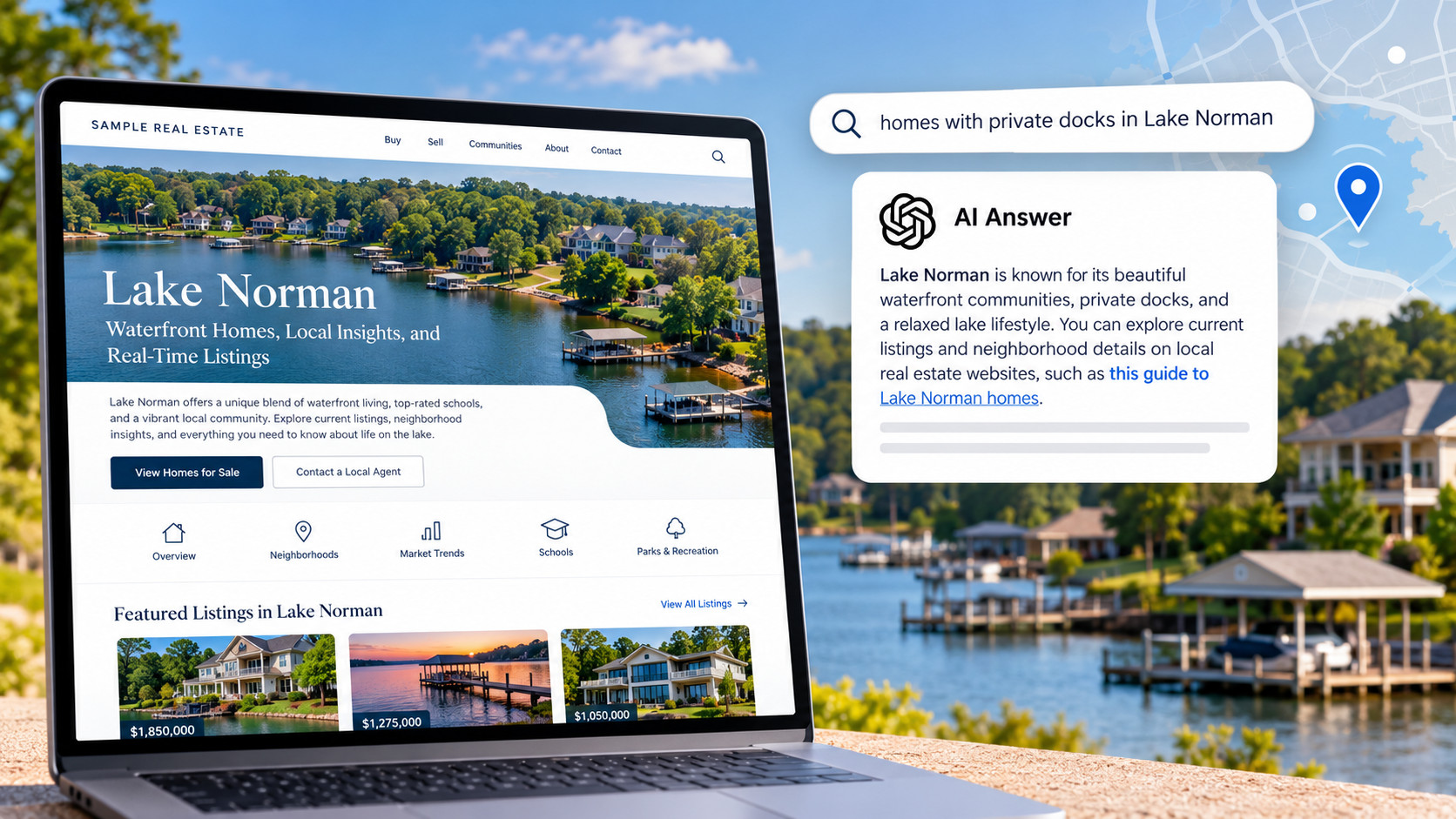
Here is how the structure applies to a niche page rather than a whole neighborhood: Waterfront Homes on Lake Norman.
Opening answer: “Waterfront homes on Lake Norman range from lake cottages with shared docks to estates with private boat slips. This page shows every active waterfront listing on the lake, pulled live from the MLS, plus what to know about docks, shoreline permits and the towns that ring the lake.”
Housing styles: Older lake cottages compared with newer custom builds, typical lot widths along the shoreline, and which communities have HOA-managed docks.
Amenities: Marinas, public boat ramps and lakeside parks, each named and linked.
Market snapshot: Median list price for waterfront homes compared with off-water homes nearby, days on market and active listings, dated.
Listings: A saved search filtered to waterfront properties on the lake.
FAQ: “Do all waterfront homes on Lake Norman come with a dock?” “What permits do I need to build or extend a dock?”
Notice what makes this page possible. “Waterfront” is a field in the MLS record. A platform that drops that field during feed simplification can show you every home near the lake, but not only the ones on it. The page lives or dies on the data underneath it.
How to connect the pieces
Single pages rank. Connected pages build authority. Link them in this order:
- Blog posts point to community pages. Use blog posts for timely or question-driven topics, such as what’s being built in an area this year or how HOA fees compare across subdivisions. Each post links to the community page it relates to.
- Community pages point to saved searches. Every community page carries a live listing display and a link to follow that search.
- Listing pages point back to community pages. A buyer who lands on a single listing should be one click from everything you know about the area around it.
Start with the communities where you have the most activity and the deepest knowledge. Then expand into the niches your market has that generic sites don’t cover: the property types, lot features and micro-areas buyers ask you about by name.
How Sierra supports a neighborhood content strategy
Sierra Interactive builds IDX websites for organic and AI-search discoverability, and the neighborhood strategy above is what the platform is designed around.
- Full-fidelity MLS data. Sierra keeps every field and attribute the MLS sends, including property type, lot characteristics, HOA status and waterfront designation, rather than simplifying the feed. That is what makes niche pages possible.
- Community Pages. Each page combines a live listing display from a saved search with your own written content. Sierra configures 10 Community Pages for every client during onboarding. Essential and Growth packages include unlimited Community Pages; Starter includes a set number, with more available.
- Keyword-enhanced search. IntelliSearch adds keyword filters such as pool, gated community and waterfront on top of standard MLS filters.
- Search infrastructure. Editable SEO metadata on every page, a property sitemap submitted to search engines, breadcrumb navigation and automatic cross-linking between Community Pages and listing pages.
- Machine-readable listing data. Listing pages expose beds, baths, square footage, address, coordinates and list date as structured fields, with stable IDs connecting each listing to the property and brokerage behind it.
- Help with the writing. DraftAI drafts blog posts and content pages from a plain-language prompt, including SEO and AEO metadata and Fair Housing compliance checks, at no additional cost. For teams that want it done for them, Sierra’s Content Writing Services produces community pages and blog posts.
- A CRM that sees the neighborhood. Sierra’s website and CRM share one data model. When a visitor registers, the agent sees which pages, listings and saved searches they viewed, and automated listing alerts bring them back to the site.
You own your domain. Sierra hosts the site and manages DNS on your behalf.
The pages you publish stay. Portal leads stop when the spend stops; a Sierra site keeps getting found for every page you build.
Frequently asked questions
What is the best real estate website for a neighborhood content strategy? One that can build a page for every community and property type in your market, keep listings on those pages current and make the details machine-readable for search engines and AI assistants. Sierra Interactive’s IDX websites are built for this, using full-fidelity MLS data that supports niche pages simplified feeds can’t.
How do neighborhood pages help me show up in ChatGPT and other AI search? AI assistants answer local questions by drawing on pages that answer them directly and specifically. The same work that earns Google rankings, specific local content tied to real listing data, is what gets a page cited in AI answers.
How many neighborhood pages should I build? Start with the communities where you do the most business, then expand into niches. Sierra configures 10 Community Pages during onboarding, so new clients start with a foundation to build on.
Should I use a Content Page or a blog post? Use a Content Page for evergreen community guides. Use a blog post for timely or question-driven topics, and link it back to the community page.
Can I reuse the same text across neighborhoods? No. Each page needs its own local detail. Duplicate text gives search engines and AI assistants no reason to prefer one page over another.
How long until neighborhood pages produce leads? Organic results build over months, not weeks. Sierra’s onboarding is designed to get clients to their first organic lead within 90 days, and results compound as more pages are published.